LMS & LearnDash

LearnDash Attendance Manager

Check-ins, time logs and attendance reports

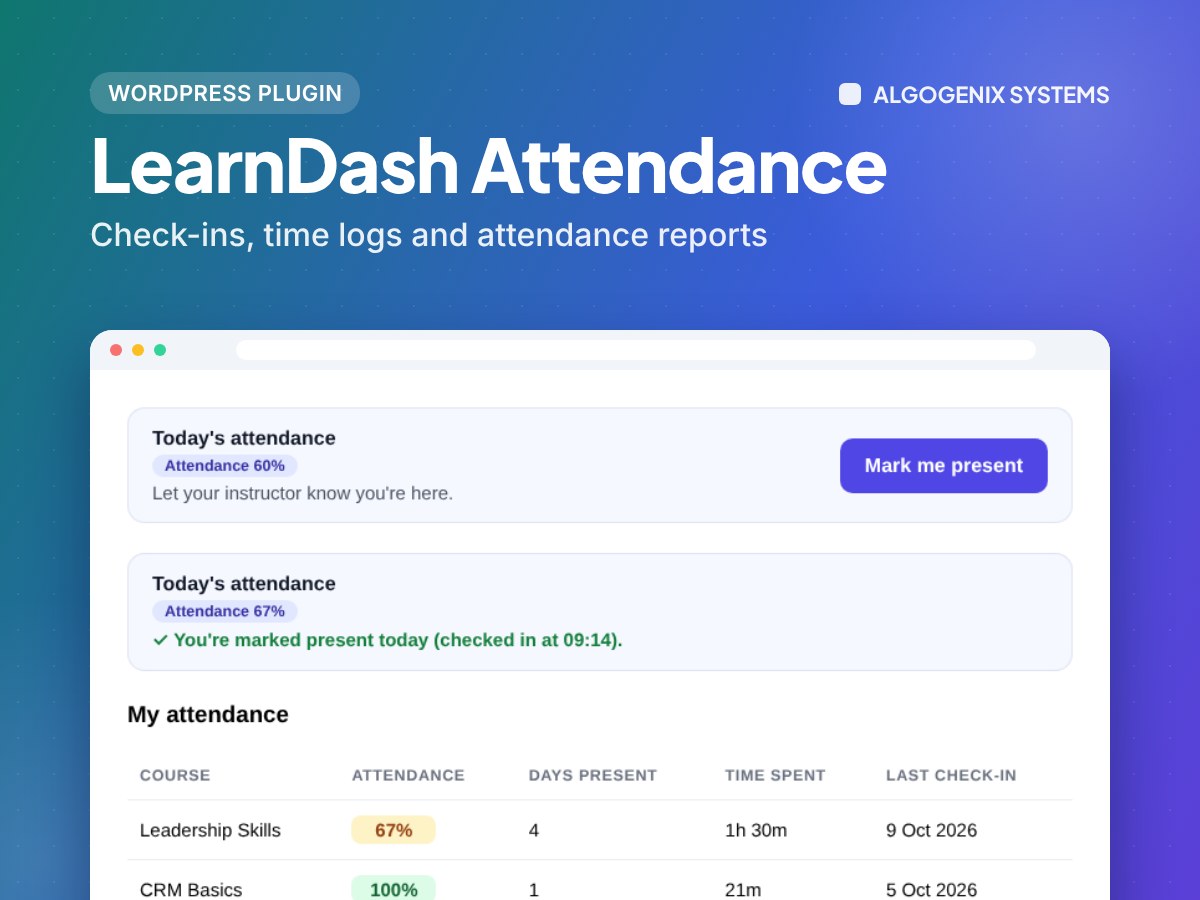
Track attendance inside LearnDash without spreadsheets. Learners check themselves in, or only admins and group leaders take attendance, and every record feeds clear reports, exports and learner summaries.

LearnDash Attendance Manager
  • 23features
  • PHP 7.4–8.4tested
  • In-housebuilt & supported
Overview

Why choose LearnDash Attendance Manager

Made for: Schools, training providers and academies that need proof of attendance for live, blended or online courses.

✓

Learner self check-in, or staff-only attendance

✓

Optional one-device rule for self check-ins

✓

Roster for admins and group leaders: present, late, absent, excused

✓

Reports with course, group, date and status filters plus CSV export

✓

Active time logs across courses, lessons, topics and quizzes

✓

Shortcodes, scheduled email reports and a summary on every learner profile

Complete feature list

Everything in LearnDash Attendance Manager

23 features, ready to use from the moment you activate it.

Taking attendance5

  • Learners check themselves in from the course, lesson or topic page
  • Or switch self check-in off so only staff take attendance
  • Roster for admins and group leaders: present, late, absent or excused
  • Notes on any attendance record
  • Attendance by course and by date

Rules4

  • Choose which courses use attendance
  • Optional one-device rule so learners cannot check in for others
  • Admins can reset a learner's device
  • One check-in per learner per course per day

Time logs3

  • Active time tracked across courses, lessons, topics and quizzes
  • Idle time is not counted
  • Time limits checked on the server, not the browser

Reports and exports4

  • Reports filtered by course, group, learner, date range and status
  • Totals for present, late, absent and excused
  • CSV export that is safe to open in Excel
  • Attendance summary on every learner's profile

Emails2

  • Scheduled daily or weekly attendance reports by email
  • Choose who receives them

Shortcodes3

  • Check-in button anywhere with [lda_checkin]
  • Learner's own history with [lda_my_attendance]
  • Time spent with [lda_time] and course summaries with [lda_course_summary]

Security2

  • Every action checks the user's permission
  • Group leaders only see their own groups

Requirements

  • WordPress 6.0+
  • LearnDash
  • PHP 7.4+

What you get

  • The plugin download and a licence key for your website
  • Updates and support for the licence period
  • Installation guidance from the team that built it
  • Secure checkout with Paystack

Need something custom?

Need it to do something more? We built it, so we can tailor it to your platform.

Build a custom feature →
FAQ

LearnDash Attendance Manager questions

Anything else? Ask the engineers who built it.

Ask a question
Can learners check themselves in?

Yes, if you allow it. You can also switch self check-in off so only admins and group leaders take attendance.

How does the one-device rule work?

The first device a learner checks in from is remembered. Other devices can't be used for self check-in unless an admin resets it.

Can group leaders take attendance?

Yes. Group leaders can mark and report on attendance for their own groups only.

Can I export attendance?

Yes. Any report can be exported to CSV, and daily or weekly reports can be emailed automatically.

How do I install it?

Download the zip after payment, then go to Plugins → Add New → Upload Plugin in WordPress. We will help if you get stuck.

What does the licence include?

A licence key for your website with updates and support for the licence period.

Can you customise it for my site?

Yes. We built it, so we can add features or adapt it to your platform. Tell us what you need.

How do I pay?

Prices are shown in US dollars and you pay securely through Paystack at checkout.

Ready to add LearnDash Attendance Manager to your site?

Get it today, or talk to us about installing and tailoring it for your platform.

Start a project →